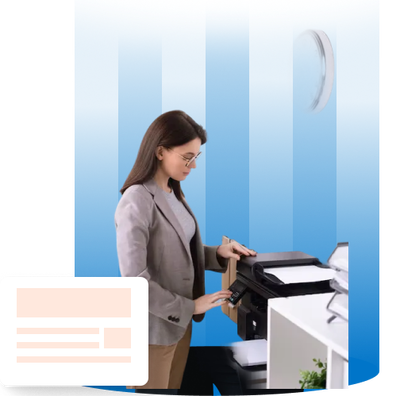
Every growing business hits a point where the printer becomes a problem. Jobs pile up, quality drops, and suddenly your team is losing time they cannot get back. The right office supply printers solve this before it becomes a bigger issue. This guide breaks down what to look for, what to stock, and how to make smart decisions for your office.
Most businesses treat printers as an afterthought. They buy whatever is available and deal with the consequences of later slow output, jammed paper, expensive cartridge replacements, and frustrated employees.
Your printer is not just a machine. It is part of your daily workflow. When it underperforms, your whole team slows down. When it works well, tasks move faster and output quality stays consistent.
The businesses that grow without friction are the ones that invest in the right office equipment solutions from the start, not after the problems show up.
Not every printer fits every workplace. Understanding the differences helps you spend money wisely.
Laser printers handle high-volume printing with speed and reliability. They use dry toner powder and produce sharp, clean text. For offices printing hundreds of pages daily, they are the logical choice. The cost per page is low, and the output is consistent even under heavy load.
Inkjet printers work best for color-rich documents and detailed graphics. They use liquid ink sprayed directly onto paper. They are better suited for smaller offices or specialized tasks like presentations and client-facing materials.
Multifunction printers (MFPs) combine print, scan, copy, and fax into one device. For most growing businesses, an MFP eliminates the need for multiple machines. It reduces equipment costs, saves space, and simplifies maintenance. One device handles everything your team needs.
Wireless printers give your team the flexibility to print from laptops, phones, and tablets without cables. In hybrid offices where people move between desks, wireless connectivity removes a daily frustration and speeds up the printing process.
Buying a printer based on price alone is one of the most common and costly mistakes businesses make. The upfront cost matters, but the long-term cost matters more.
Print speed is one of the first things to check. For offices with ten or more people sharing a single device, look for machines that print at least 25 pages per minute. Anything slower creates bottlenecks during busy periods.
Paper capacity is equally important. A printer that holds only 150 sheets will require constant refilling in a busy office. Look for machines with a minimum of 250 to 500 sheet capacity to keep things moving.
Security features have become non-negotiable. Modern office supply printers include user authentication, access controls, and secure print release options. These protect sensitive documents and reduce the risk of information ending up in the wrong hands.
Cloud and mobile connectivity allow your team to print documents from anywhere. When your office runs on tools like shared drives and remote access, a printer that supports cloud integration fits naturally into your workflow.
Energy efficiency directly impacts your monthly operating costs. Printers with automatic sleep modes and duplex printing reduce both energy use and paper waste. These features pay for themselves over time
A printer is only useful when it is properly stocked. Running out of supplies mid-project costs time and momentum. Here is what every office should keep on hand.
Toner and ink cartridges are the core of any printer supply setup. Toner cartridges work with laser printers and last significantly longer than ink cartridges. A single high-yield toner cartridge can print thousands of pages. Ink cartridges, used in inkjet models, produce richer color but need replacement more often.
When choosing between cartridge types, consider your print volume. High-yield cartridges cost more upfront but reduce the cost per page significantly. For offices printing large volumes, this is the smarter investment.
OEM vs. compatible cartridges is a decision every business faces. OEM cartridges come from the printer manufacturer and are built for exact compatibility. Compatible cartridges are made by third parties and often cost 30 to 50 percent less. Quality compatible cartridges can match OEM performance, but sourcing them from reliable suppliers makes all the difference.
Paper selection is often overlooked but directly affects print quality. Using paper with the wrong weight or coating can cause jams and reduce the lifespan of your print heads or rollers. Match your paper to your printer type and the documents you print most.
Maintenance kits extend the life of your machine. Drum units, rollers, and fuser kits wear out over time. Replacing them on schedule prevents bigger and more expensive breakdowns.
Stocking the right printer office supplies is not about having everything it is about having what you need before you run out.
Print costs are one of those expenses that quietly grow if you do not manage them. Businesses often overspend on cartridges simply because they are not tracking usage or choosing the right supplies.
Start by calculating your average monthly print volume. This tells you exactly what yield you need in a cartridge, which format makes financial sense, and when to reorder. Offices that track usage consistently spend less on supplies over the year.
Duplex printing cuts paper consumption in half. Enabling it as a default setting across all devices is one of the easiest cost-saving moves you can make.
Centralizing printing to shared devices instead of individual desktop printers also reduces your total supply spend. Fewer machines mean fewer cartridges, less maintenance, and simpler management.
What type of printer works best for a small office?
A multifunction laser printer works best for most small offices. It handles printing, scanning, and copying in one device and delivers a low cost per page over time.
How often should I replace printer office supplies?
It depends on your print volume. High-volume offices may replace toner monthly. Lighter users may go several months between replacements. Tracking page counts helps you plan ahead.
Are compatible cartridges safe to use in office printers?
Yes, when sourced from reputable suppliers. Quality compatible cartridges meet performance standards and often cost significantly less than OEM options without compromising output.
What security features should office printers have?
Look for PIN-based print release, user authentication, encrypted data transfer, and automatic job deletion after printing. These protect sensitive documents in shared office environments.
How do I reduce printing costs in my office?
Enable duplex printing, switch to high-yield cartridges, consolidate to fewer shared devices, and monitor monthly usage. Small changes in print habits lead to measurable savings.
Waiting until your current setup fails is not a strategy. Every week spent on the wrong equipment costs your team time, your business money, and your clients consistency.
The right office supply printers, paired with reliable printer office supplies and smart office equipment solutions, give your business a foundation that supports growth rather than slowing it down. At Nube Group, these are not just products they are part of a complete approach to keeping your workplace efficient, secure, and ready to scale.
Visit us to find the right printing solution for your business today.